

Freelancer Business OS – All-in-One Business Management for Freelancers | Offline Desktop Tool
Original price was: $ 19.00.$ 15.00Current price is: $ 15.00.
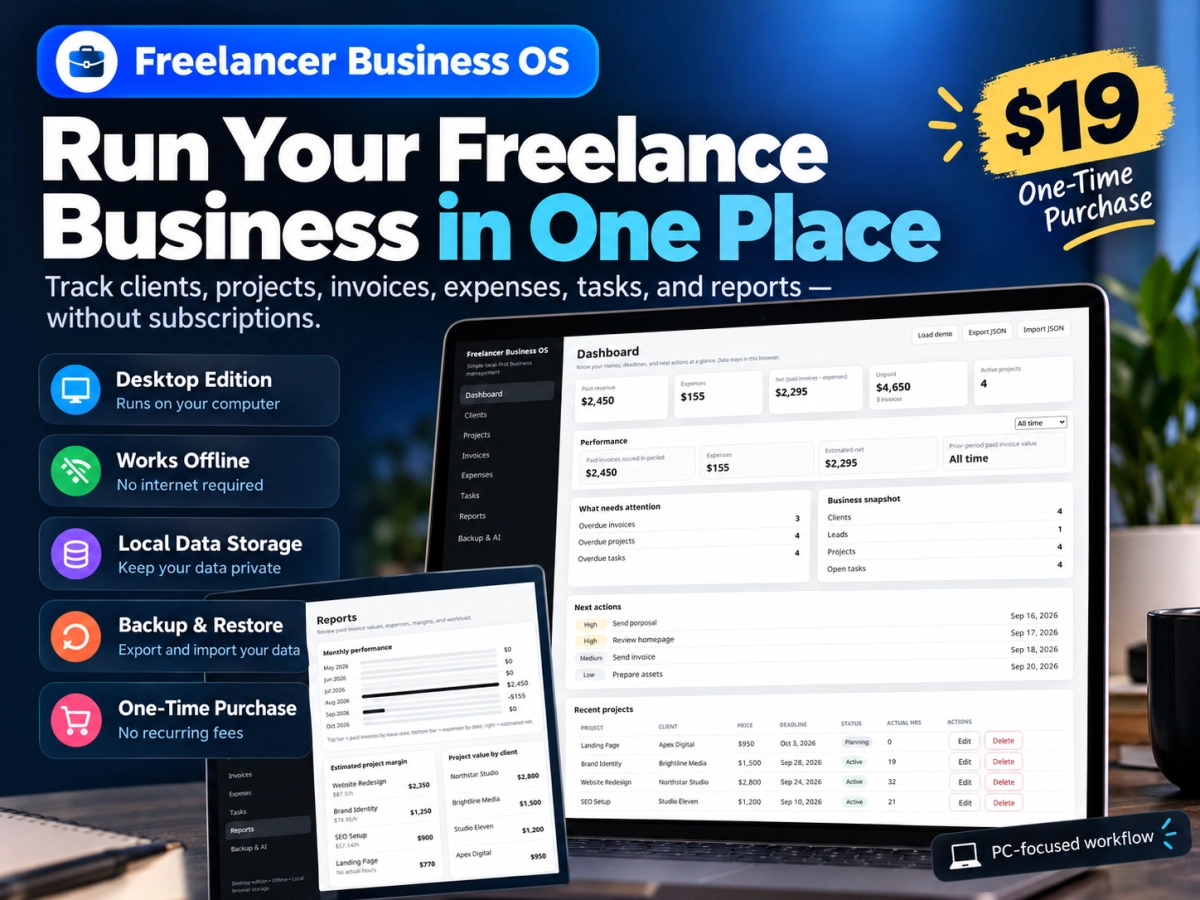
Run Your Freelance Business in One Place
Tired of juggling spreadsheets, scattered notes, and multiple tools to manage your freelance work?
Meet Freelancer Business OS — an all-in-one, offline desktop workspace designed to help freelancers organize their clients, projects, invoice records, expenses, tasks, and business performance.
One-time purchase. No monthly subscription. No account required.
Everything You Need in One Workspace
✅ Client Management — Keep track of clients, contact details, lead status, and notes.
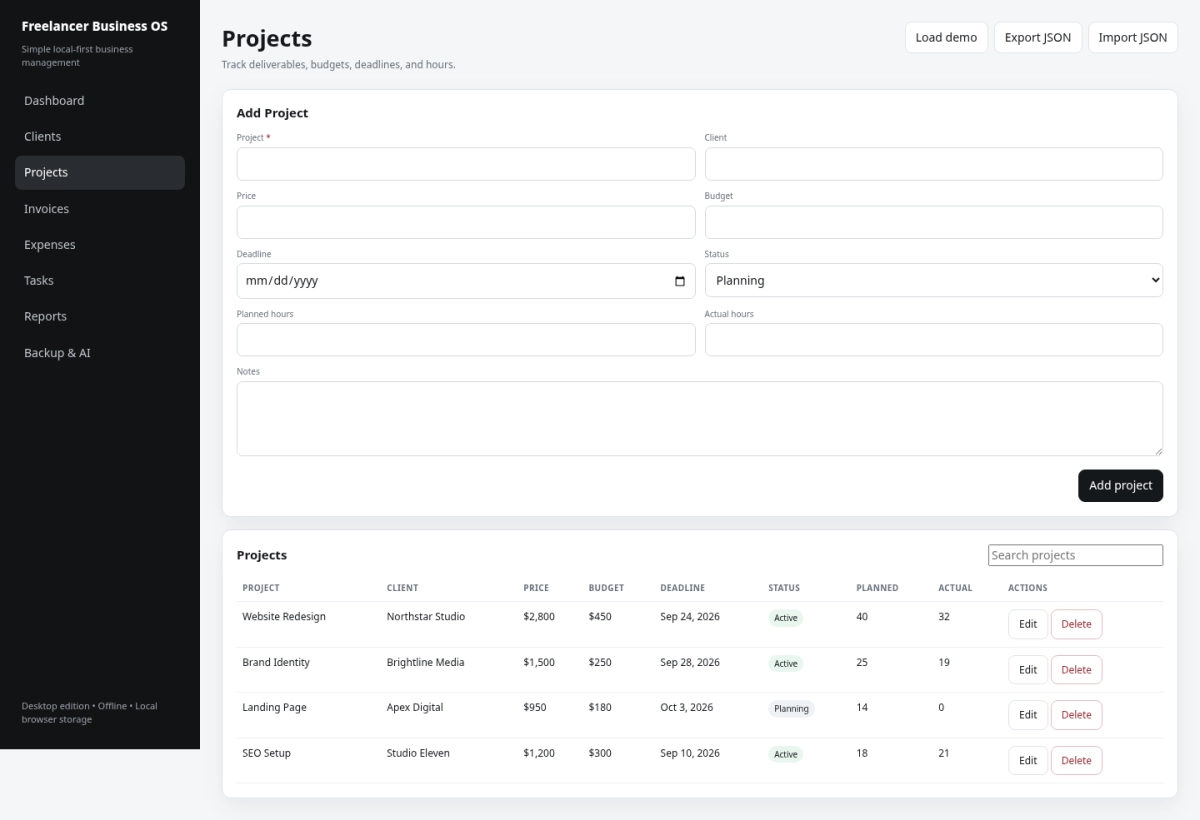
✅ Project Tracking — Organize projects, deadlines, budgets, values, and working hours.
✅ Invoice Tracking — Record invoice amounts, payment status, and due dates. See what is paid and outstanding.
✅ Expense Management — Track business expenses, categories, and spending.
✅ Task Management — Organize priorities, deadlines, and progress.
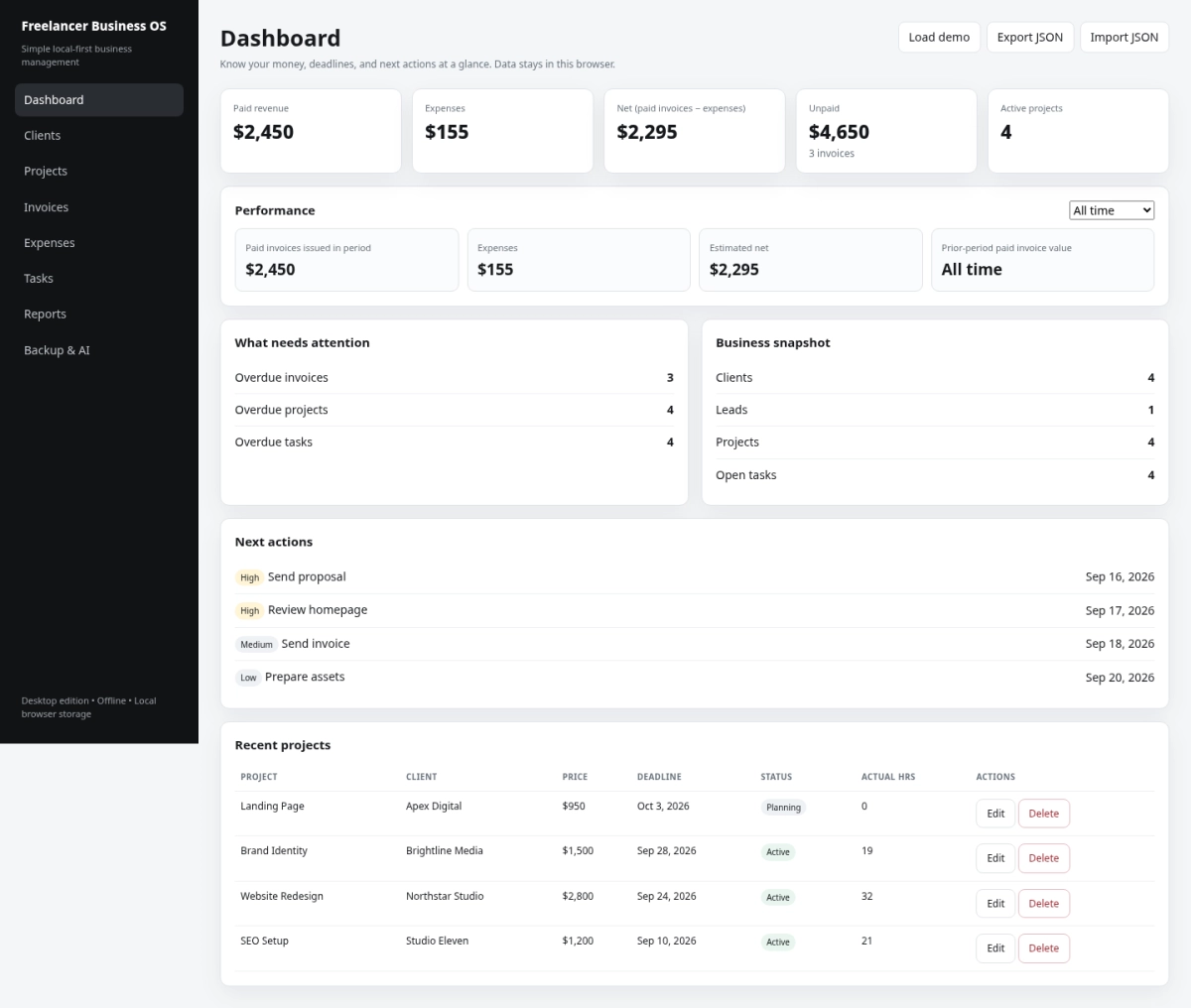
✅ Business Dashboard — View paid revenue, recorded expenses, unpaid amounts, and important deadlines.
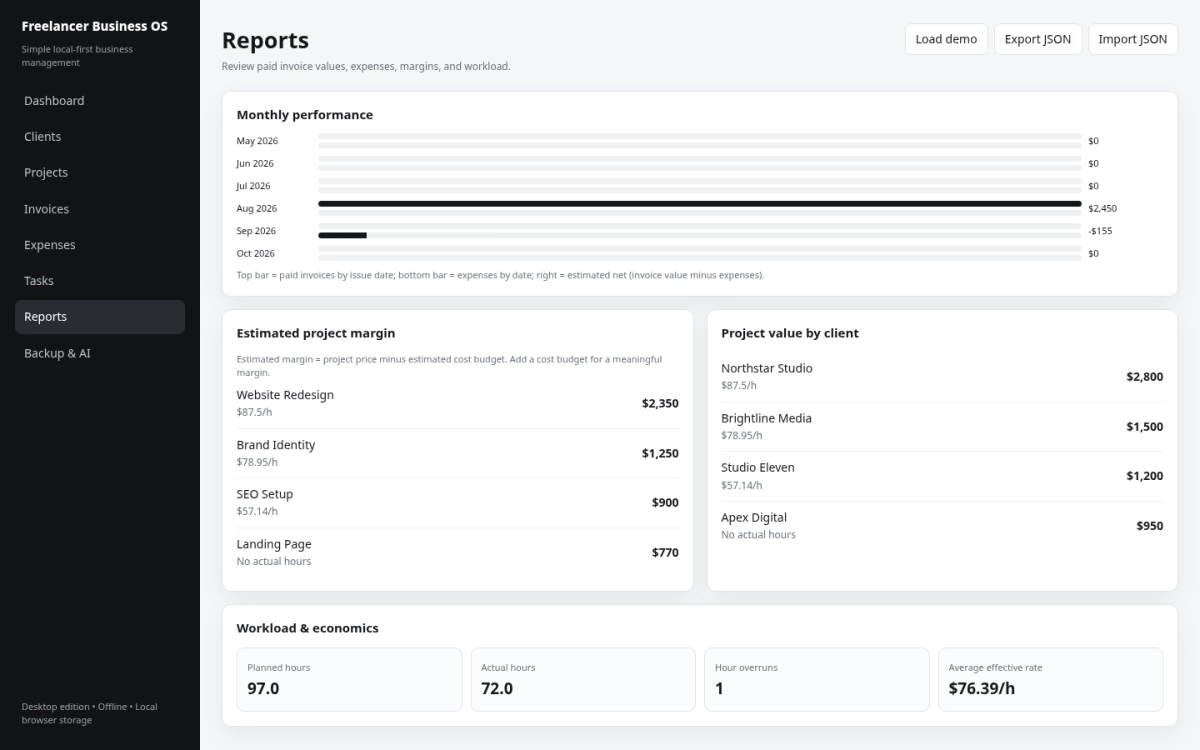
✅ Reports & Insights — Review estimated project margins, business performance, and workload.
✅ Backup & Restore — Export and import your data using JSON backups. Export CSV files for spreadsheet review.
Why Choose Freelancer Business OS?
- Pay once, use it without a subscription.
- Works offline — No internet connection required for everyday use.
- Local-first — Your records are stored in your desktop browser.
- No account or server setup required.
- Simple to get started — Extract the ZIP and open the HTML app.
- Optional demo data — Explore the features with sample records whenever you want.
How It Works
- Purchase and download the ZIP file.
- Extract the ZIP on your computer.
- Open the HTML app in desktop Google Chrome or Microsoft Edge.
- Start organizing your freelance business.
No complicated installation process.
What’s Included?
- Freelancer Business OS desktop HTML application (v1.1.1)
- English PDF user guide
- Quick-start instructions
- Release notes
- Software License Agreement (English PDF)
Software License & Usage Rights
Single-User Commercial License Included
✅ Personal Use — Use the software for your own personal activities.
✅ Commercial Use — Use the software to manage your own freelance work or business operations.
✅ Multiple Computers — Use the software on multiple computers, provided you are the licensed individual user.
✅ Backup & Transfer — Create personal backups and transfer your workspace to another computer.
❌ No Resale or Redistribution — You may not resell, redistribute, sublicense, or share the software with others.
❌ No Public Sharing — You may not upload or publish the software for public download.
❌ No Redistribution of Modified Versions — You may not sell or distribute modified versions of the software.
❌ No Bundling for Resale — You may not include the software in another product offered for sale or distribution.
Your purchase grants a non-exclusive, non-transferable license for one individual user. Ownership of the software and its intellectual property is not transferred.
Please refer to the Software License Agreement PDF included in your download for the full license terms.
Important Information
Desktop only. Not compatible with smartphones or tablets.
The app uses local browser storage, not cloud storage. Regular manual JSON backups are essential to protect and transfer your data.
This product tracks invoice records but does not generate or send invoices, process payments, or provide accounting or tax filing services.
Currency is displayed in USD. There is no automatic cloud backup or cross-device synchronization.
For best results, use a current desktop version of Chrome or Microsoft Edge. Local-file storage behavior may vary with browser settings.
Product screenshots show optional sample data. Your app starts empty.
Organize your freelance work in one place — without another monthly subscription.
Get Freelancer Business OS today with a one-time purchase.
Only logged in customers who have purchased this product may leave a review.
Reviews
There are no reviews yet.